A Time Traveler’s Guide to Chronoscope World
Info Spots
Learn how to use Info Spots in Chronoscope World to discover location-based historical insights and cultural highlights like 3D tours or concerts.
Contents
Chronoscope World has more than 5,000 info spots in several categories. Info spots are geo-located markers. They link to photos, videos, 3D scans, historical information, libraries, or UNESCO heritage sites around the globe. Info Spots are grouped by categories. Filters can be applied to focus on specific aspects.
View Toolbar
The View Toolbar contains three buttons to control the info spots:
 Info spots
- Use key i to show or hide the info spots.
Double press key ii to show all categories.
 Set text filter for info spots
- Use key / to open the dialog.
- Double press key // to reset the text filter.
 Info spot browser
- Opens a table of previews with info spots around the ChronoCursor or the info spot from where the command has been called.
- Use key j
Display the info spots in the Chronoscope above now and hover over the info spot icons.
Info Spot Panel
Move the mouse cursor over an info spot to open the panel.
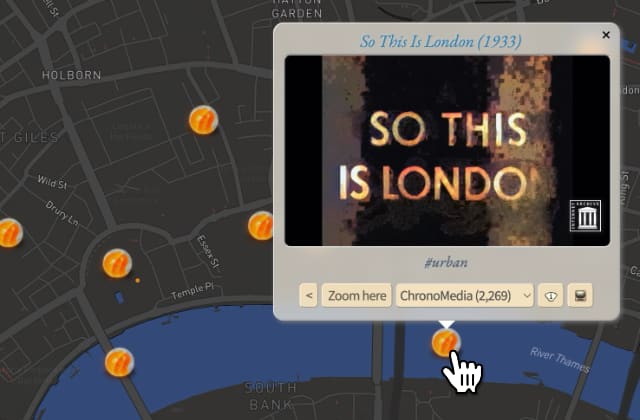
Hover over an info spot icon to open the panel. Zoom to map location, Category menu, info spot text filter and info spot browser are in the bottom row.
Categories
The Categories menu offers the following sets:
- Culture Calendars

theates, clubs and galleries in Hamburg - ChronoMedia

documentaries, movies, concerts, 3D scans - IIIF institutions

libraries, galleries, museums and archives that offer their collections as IIIF format - UNESCO heritage sites

- Anti-Abriss-Allianz
alliance to stop demolishing of old buildings - HAPAG cruize photos

world trips by Oswald Lübeck between 1905 – 14 and by Franz Grasser between1936 – 39 - ePhoto
old Hamburg in the late 1800s
Note: broken thumbnails due to google’s changed policy - Photo Dransfeld
photos of the buildings by Fritz Schumacher, Gustav Oelsner and Fritz Höger by the photographer Carl Dransfeld in the late 1920s in Hamburg - Koloniales Hamburg
Note: broken thumbnails due to google’s changed policy - Hamburg Residents 1653
Captains, sailors, where did they live in Hamburg in 1653?
- In order to prevent overlapping info spots in dense areas some spots are hidden or minimized.
- Zoom in to reveal more spots in such areas or press just Shift to display all spots.
Text Filter
The amount of info spots can be overwhelming. Therefore, it is possible to filter for specific terms or strings that are shared by several info spots.
For instance, enter 'webcam' to just show webcam info spots.

The info spot text filter dialog. The combo triangle offers a few examples already.
OR Filter: ,
Enter a comma-separated list of strings to find info spots with any of the terms. For instance look for 'scifi,timetravel' to find both science fiction and timetravel movies. (Ironically, they are not the same.)
A space is treated as a character. Try the difference between 'Peter' and 'Peter Lindbergh'
- Peter
- … shows info spots for the Gall-Peters Projection, the photographer Peter Lindbergh, Peter Falk in Berlin, and concerts by Peter Garbiel, among others.
- Peter Lindbergh
- … shows only exhibitions and short movies by the photographer.
- Lindbergh
- … shows both spots for Charles Lindbergh and Peter Lindbergh.
AND Filter: @
Sometimes the intersection of buckets of OR terms is desired to improve the results. For instance, you want to search for either scifi or timetravel movies, but only those that also (and) come from archive.org.
- The filter expression looks like this:
scifi, timetravel @ archive.org
The @ is used to separate comma-separated strings from each other. In logical terms, a comma represents an or, while an at sign represents an and.
- The expression above can be read as:
- Spots that contain either of the strings
scifiortimetraveland that contain in addition the stringarchive.org. The latter would be part of the URL for the movie.
User Interface for Text Filter
Use key / to open the dialog.
Double press the key // to resets the filter.
Power Feature: It is possible to drag’n’drop text onto the icon!
Shift Click removes the filter.
Browsing Info Spots
The combination of text filter ( key / ) and browser ( key j ) is quite powerful.
Here are a few examples of special ChronoMedia topics:
- archive.org
- Movies by Internet Archive
- BWV
- Performances by Johann Sebastian Bach (BWV = Bach-Werke-Verzeichnis)
- timetravel,scifi
- Movies that match either of the keywords
News feed on the screen with RSSEnterprise #ChronoMedia
Or follow #ChronoMedia on Mastodon
ChronoMedia Player
ChronoMedia info spots link to multimedia content such as videos and 3D scans. If the providing platform allows embedding, these films and sceneries will be displayed inside of the Chronoscope World window.
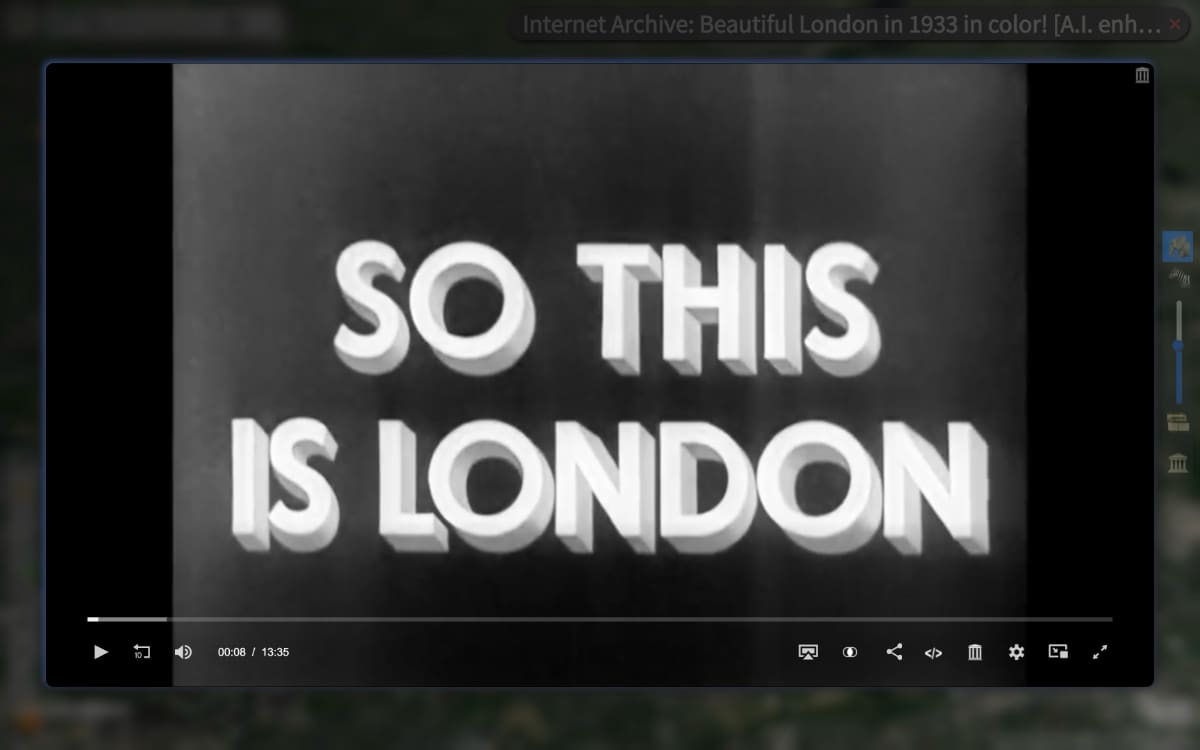
An embedded Internet Archive video player
The Video Toolbar
 Visit video’s media page
 Apply grayscale for colorized videos
 Improve contrast for pale videos
- Adjust aspect ratio for videos
 Display filmstrip for Internet Archive movies
The filmstrip shows thumbnails with time codes:
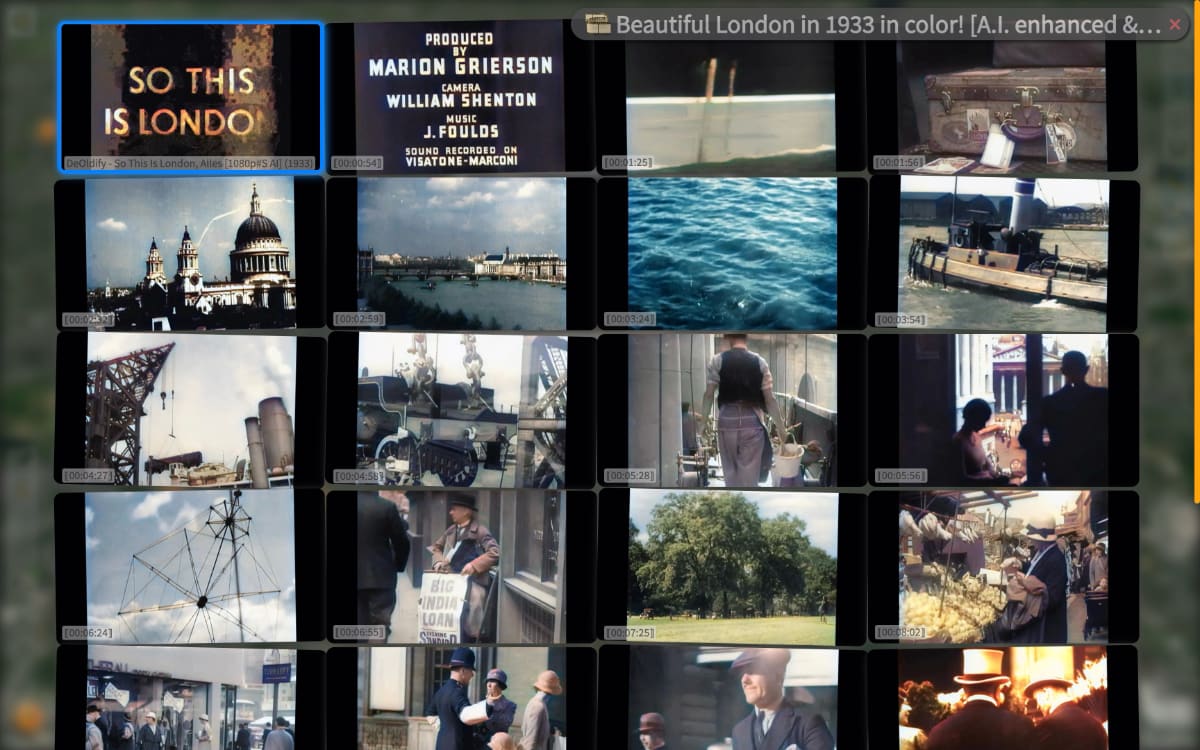
Filmstrip view
Exercise
- Open a video and its filmstrip now: Go to London
 Mind that the Chronoscope needs a certain height to display the player inline. Otherwise a new tab is used.
Smart Drag’n’Drop of Movies and 3D Scans
Several video platforms and 3D scanning platforms are supported for Smart Drag’n’Drop. Among them are:
- Youtube
- Internet Archive
- matterport
- sketchfab
When dragging an item from Internet Archive’s search result page into the Chronoscope World, the filmstrip view is used to provide an overview of the movie.
In the same mannor, you can browse free books from the Internet Archive: Smart Drag’n’Drop of IIIF books
About Chronoscope World
Chronoscope World is the core module of the Chrono Research Lab.
You can support Chronoscope Hamburg and Chronoscope World by sharing ChronoLinks relentlesly. Historical insights have been shared on twitter at chronohh. But meanwhile the music plays on Mastodon at Chrono Matthias
The Chrono Research Lab is an independant and free time-traveling service by Matthias Müller-Prove. However, some expenses are not really covered. Luckily, the human society has invented real money to buy me a virtual coffee:
Social Channels
 chronoHH@norden.social
 Chrono Research Lab
But now: Please fasten your seat belts. Let’s travel through space and time with Chronoscope World: