 Xing Design Hacks
Improved User Experience for xing.com
Xing’s recent relaunch introduced a couple of new features and design updates. I definitely appreciate that Xing continues to develop and improve my main networking platform. I would like to share my design hacks to get an even better usability with less clutter and more space for the content.
Lean Header and Clean Home Page
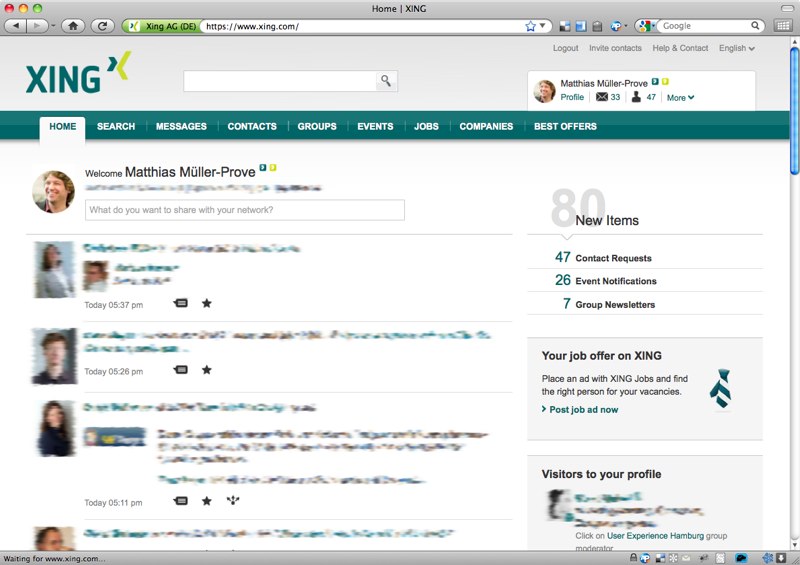
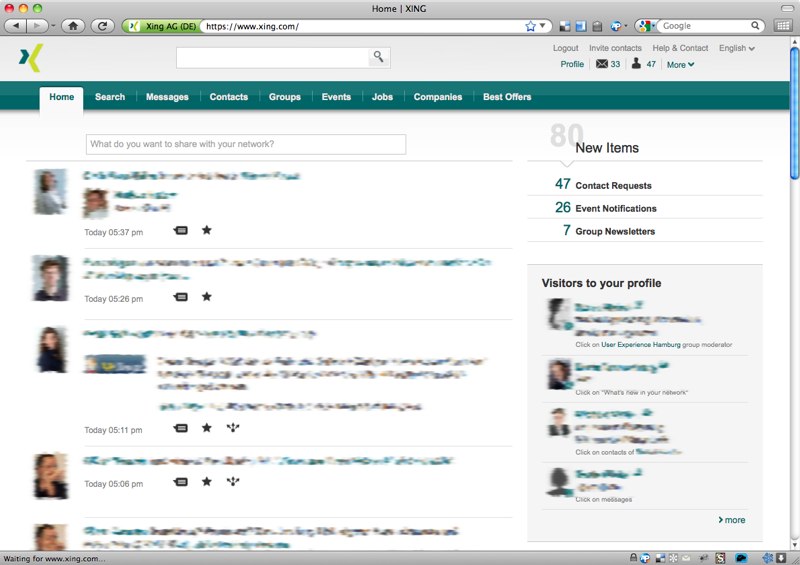
How to apply the design hack in Firefox?
- Install Stylish for Firefox.
- Go to userstyles.org: xing.com – lean header and home page and follow the instructions.
How to apply the design hack in Chrome?
- Install Stylish for Chrome.
- Go to userstyles.org: xing.com – lean header and home page and follow the instructions.
How to apply the design hack in Safari and Opera?
The design hack can also be applied for Safari and Opera. There you have to create a local cascading style-sheet text file, and select it directly from Safari Preferences-Advanced-Style Sheet or Opera Preferences-Advanced-Content-Style Options. Here is the CSS.
More background and version info about this design hack for Xing.